
For a seafarer, facing grievances and issues is very common. But when concerns go unheard or unresolved, it quickly turns into frustration, especially when the person raising the grievance is unsure of its status or what to do next.
To address such challenges and make the grievance-handling process more organised and accessible, the Directorate General of Maritime Administration (DGMA) has introduced the eNavik Portal.
It’s a digital platform for all – seafarers, RPSL companies, shipping companies, and other stakeholders to submit their grievances and access other maritime-related services. It simplifies the grievance redressal mechanism, seafarer tracking, and maritime operations.
Let’s go through this in detail!
What is the eNavik DGMA Portal?
The eNavik DGMA Portal is a digital platform developed by the Directorate General of Maritime Administration (DGMA) to streamline and manage various maritime-related services through a centralised online system. It provides a common platform for seafarers, RPSL companies, shipping companies, maritime training institutes and other stakeholders to access relevant services and submit information electronically. The portal is designed to improve transparency, simplify regulatory processes and support efficient communication between maritime stakeholders and the administration.
Through eNavik, users can access services such as grievance-related functions, seafarer tracking and other regulatory and operational facilities, depending on their user category and applicable permissions.
Key Highlights of the eNavik DGMA Portal
| Website | https://beta-enavik.dgma.gov.in/enavik/welcome |
| About | eNavik is a digital platform designed to facilitate maritime services and digital governance. |
| Launched By | Directorate General of Maritime Administration (DGMA), Government of India. |
| Under the Ministry of | Ministry of Ports, Shipping and Waterways, Government of India. |
| Objective | To streamline maritime processes, provide digital access to services and improve transparency and efficiency in maritime administration. |
| Key Users | Seafarers, Maritime Training Institutes (MTIs), RPSLs, shipping companies and authorised DGMA officials. |
| Key Services | Grievance registration and tracking, seafarer tracking and other maritime-related digital services available according to the user’s category and permissions. |
| Contact Support | Toll-Free: 1800-889-7768 International Calls: +1-888-988-0256 Email: enavik.24×7@gov.in WhatsApp: +91 8655856830 |
What are the Key Modules of the eNavik DGMA Portal?
The eNavik DGMA Portal integrates multiple digital systems to streamline maritime administration and support seafarers and industry stakeholders. Its key modules covers:
| Module | About |
| 24×7 Grievance Redressal System | Enables seafarers and maritime stakeholders to register grievances online and access a dedicated system for submitting, tracking and managing complaints efficiently. |
| Marine Incident & Crisis Response System | Supports the reporting and management of marine incidents and emergencies, enabling authorities and stakeholders to coordinate responses and monitor cases effectively. |
| Maritime Training Institute (MTI) Management System | Facilitates the management and monitoring of Maritime Training Institutes, supporting training-related administration, regulatory compliance and other institutional processes through a digital platform. |
| Recruitment & Placement Service Licence (RPSL) System | Provides digital facilities for managing Recruitment and Placement Service Licence activities, helping regulate and monitor licensed agencies involved in seafarer recruitment and placement. |
| Seafarer Tracking Dashboard (Introduced via Circular 56 of 2026) | Provides a centralised dashboard for monitoring seafarers and vessels, offering relevant tracking information to support better visibility, coordination and maritime administration. |
What is the Seafarer Tracking Dashboard on eNavik DGMA?
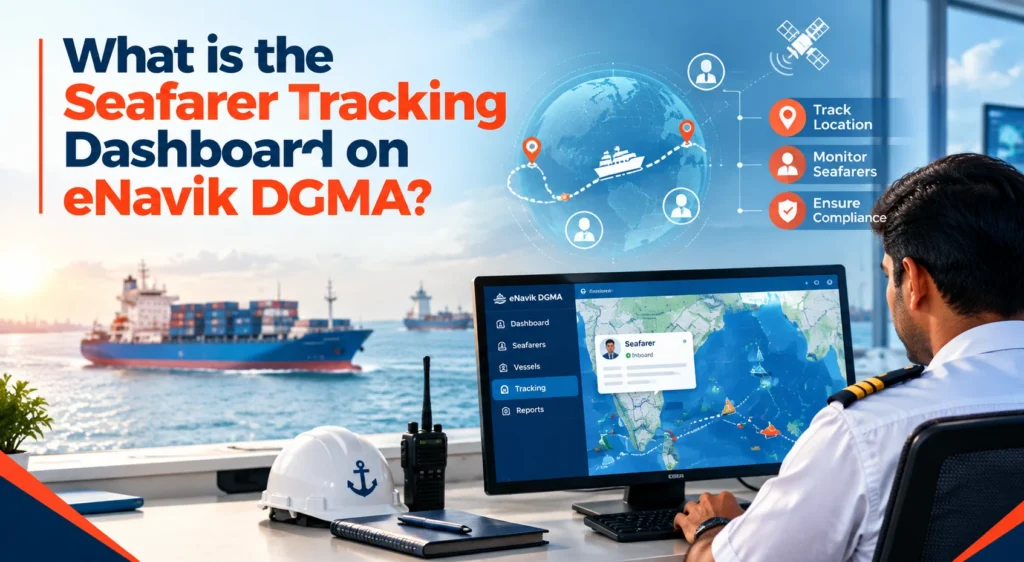
The Seafarer Tracking Module was launched by the Directorate General of Maritime Administration (DGMA) under DGMA Circular No. 56 of 2026, dated 4 September 2026. The module has been introduced to establish a centralised mechanism for monitoring Indian seafarers serving onboard vessels, particularly those operating in high-risk maritime regions.
The module enables registered RPSL and shipping company users to manage vessel and onboard seafarer information, update vessel positions, record crew sign-on and sign-off, maintain Designated Person Ashore (DPA) details, and monitor vessel locations and position status. It provides a consolidated view of vessel, voyage, crew, position and related information for effective monitoring.
The system is intended to strengthen the monitoring of Indian seafarers, particularly those serving on Indian-flagged and foreign-flagged vessels operating in high-risk areas, including the Persian Gulf, Gulf of Oman, Red Sea, Gulf of Aden and Black Sea. The module is intended to facilitate timely information sharing, coordination and prompt response during emergencies while supporting maritime safety, security and seafarer welfare.
Key Features of seafarer tracking dashboard:
- Vessel Position & Region Monitoring
- Indian Seafarer Onboard & Sign-Off Tracking
- Live Geographical Vessel Map & Locations A
- High-Risk Region Monitoring
- Company Fleet Dashboard & DPA Management
- Directorate-Wide National Monitoring Dashboard
- Reports, Analytics & Data Export
What is the Importance of the Seafarer Tracking Dashboard?
The seafarer tracking dashboard is important for maintaining better visibility of Indian seafarers and vessels during their voyages. By providing centralised tracking information, it helps maritime authorities monitor movements, respond to emergencies, strengthen security and support the overall welfare of seafarers. Apart from this, it:
- Enhances seafarer safety by enabling continuous monitoring of their location during voyages.
- Supports emergency response by providing timely tracking information during critical situations.
- Improves vessel monitoring by providing updated information on vessel positions and movements.
- Monitors high-risk areas by identifying vessels and seafarers operating in vulnerable maritime regions.
- Strengthens seafarer welfare by improving oversight during emergencies and challenging situations.
- Enables better coordination among maritime authorities, vessel operators and designated personnel.
- Supports informed decisions by providing centralised and relevant tracking information.
How can Registered RPSL Companies or Shipping Companies Users log in to the eNavik DGMA?
Registered RPSL companies or shipping companies users can access the module using their existing company credentials.
Here are the steps to log in to the eNavik DGMA Portal:
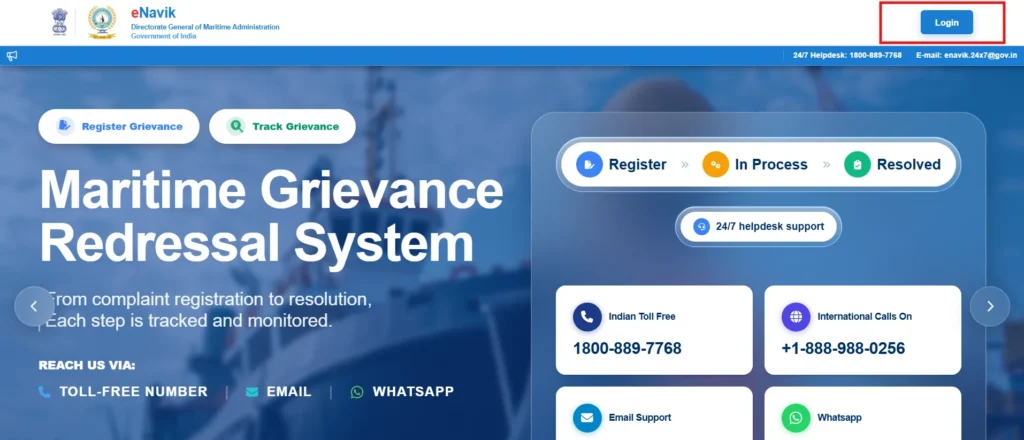
1. Open the eNavik DGMA Portal and access the portal’s welcome page.
2. Click on the “Login” button displayed on the portal’s welcome page.
3. Enter the company credentials, including the registered Username and Password, in the login fields.
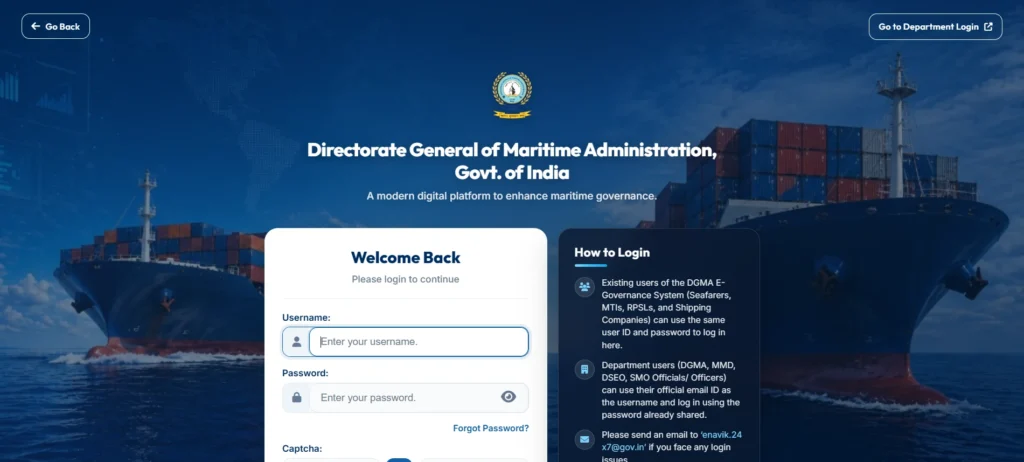
4. Click “Login” to authenticate the credentials and access the portal.
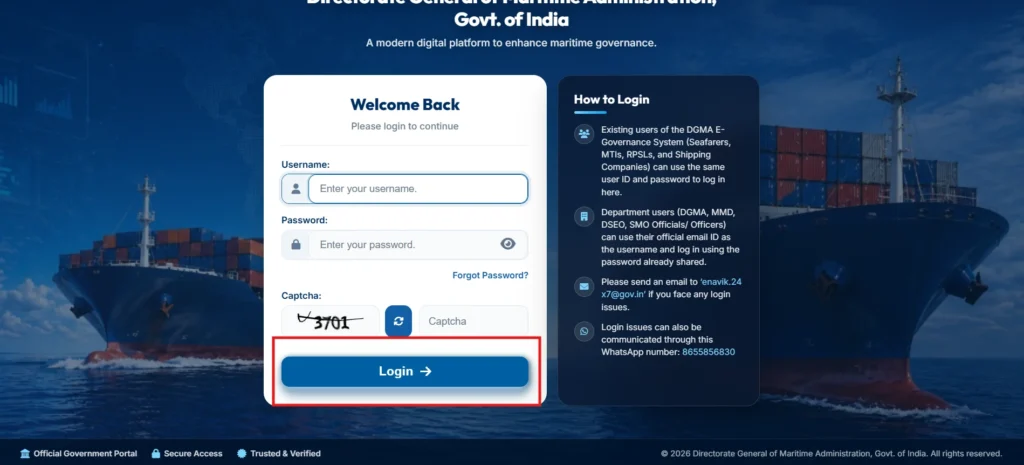
5. After login successfully, you can go to “My Fleets” from the left-side navigation menu to access the Seafarer & Vessel Location Tracker, which serves as the main landing page for managing the company’s fleet and onboard seafarers.
What Can Users Access After Login?
After logging in, registered RPSL companies and Shipping Company users can use the My Fleets section to view and manage vessels associated with their company. The dashboard allows users to search and filter vessels, check position-update status, add vessels, manage crew details, update vessel positions, maintain DPA/Nodal Officer information, and monitor fleet records.
Important:
Access to vessel-position information is confidential and access-controlled, with such information available only to authorised personnel through designated login credentials according to their permitted access.
What is the Grievance Redressal System in the eNavik DGMA Portal?
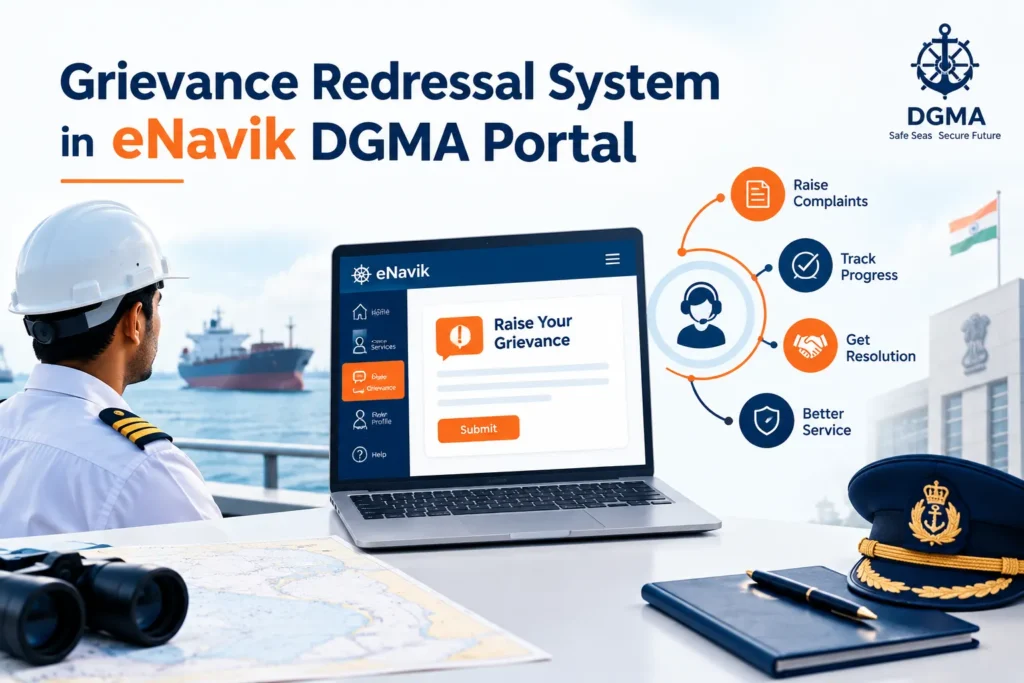
The grievance redressal system in the eNavik DGMA Portal is designed to provide seafarers and other maritime stakeholders with a convenient channel for raising complaints, concerns, and service-related issues with the Directorate General of Maritime Administration (DGMA).
Instead of relying entirely on offline communication, users can submit their grievances through the digital portal and seek appropriate resolution from the concerned authority.
The system helps streamline the grievance-handling process by providing a centralised platform for registering and managing complaints. It also supports greater transparency and accountability by ensuring that submitted grievances can be appropriately reviewed and acted upon.
What is a Grievance Registration Form in eNavik DGMA and How to Fill It?
The grievance registration form in the eNavik DGMA Portal is an online form that allows seafarers and other users to formally submit their complaints or concerns to the concerned maritime authority. It captures essential information about the user and the grievance, helping the authorities understand the issue and take appropriate action.
How to Fill the Grievance Registration Form?
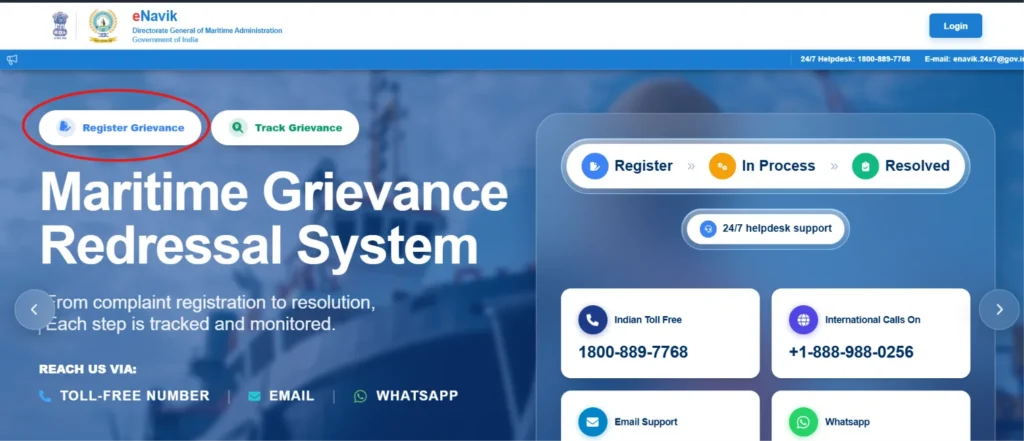
STEP-1: Go to the eNavik DGMA website, and on the home page, select “register grievance”
STEP-2: A new screen will appear with “Grievance Registration Form”
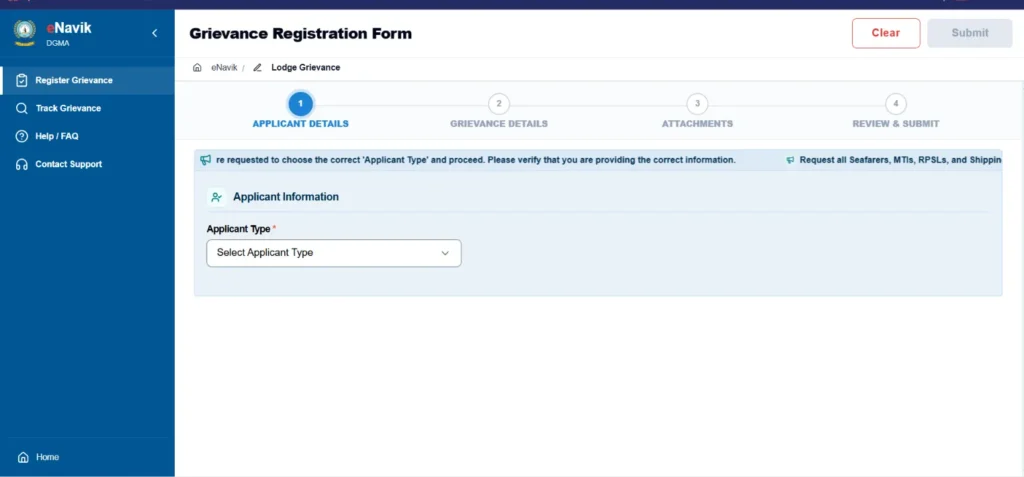
STEP-3: Select the applicant type and enter your personal details such as name, contact number, and email address as required.
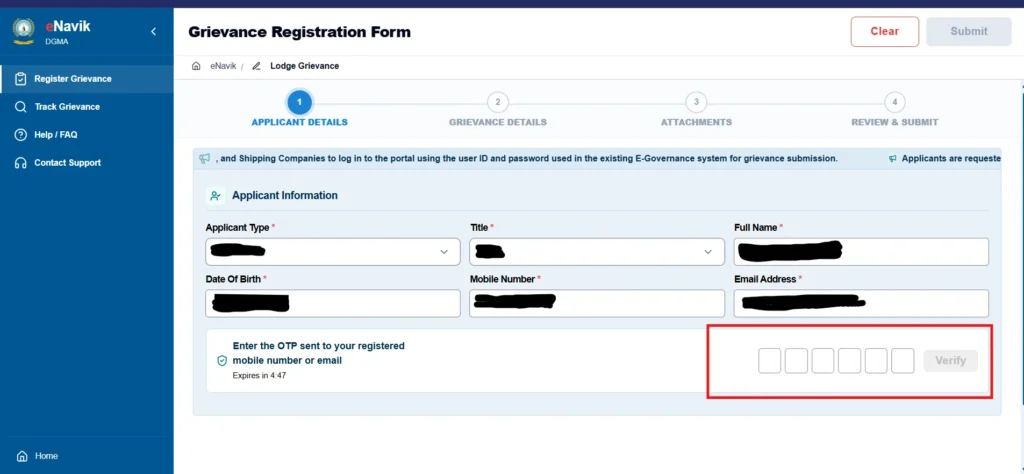
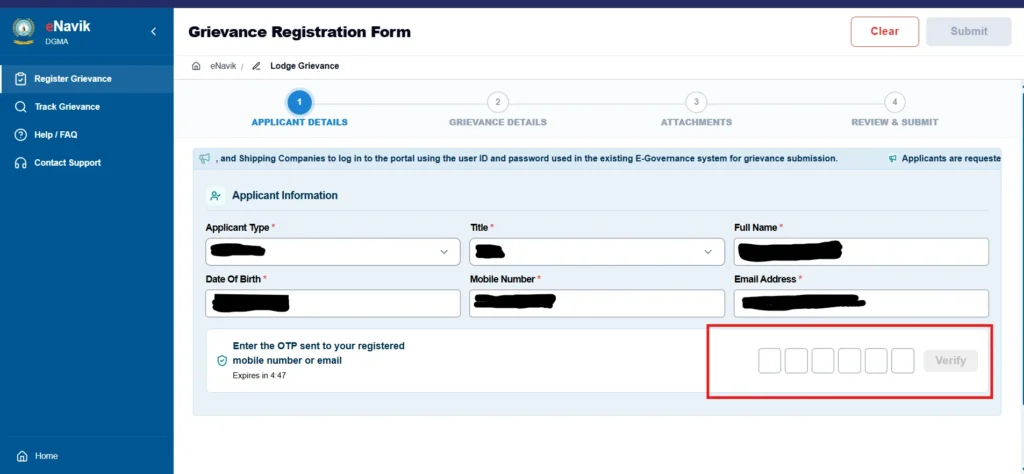
STEP-4: Click on “Request OTP” and enter the OTP you received on your registered mobile number to proceed further.
STEP-5: Provide grievance details by clearly describing the issue or complaint you want to report.
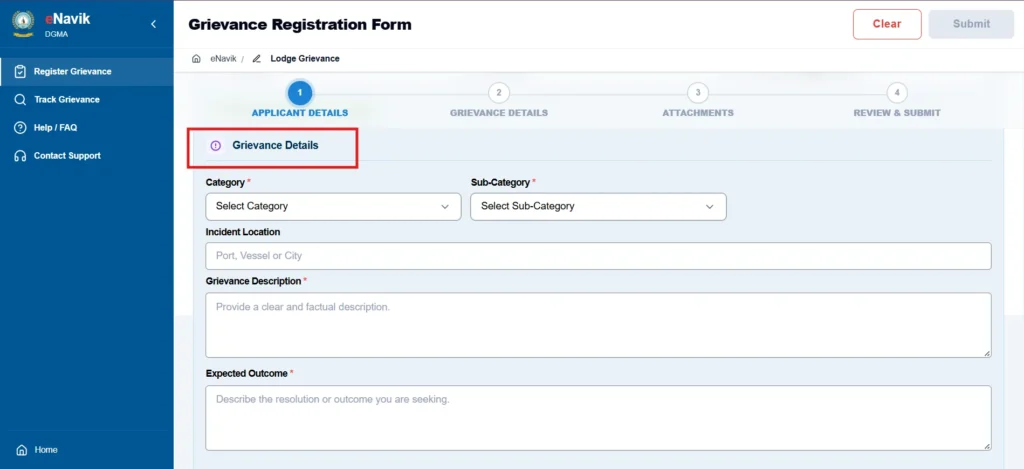
STEP-6: Select the relevant grievance category and subcategory so that your complaint can reach the appropriate department.
STEP-7: Upload supporting documents or evidence related to the grievance in the attachment section.
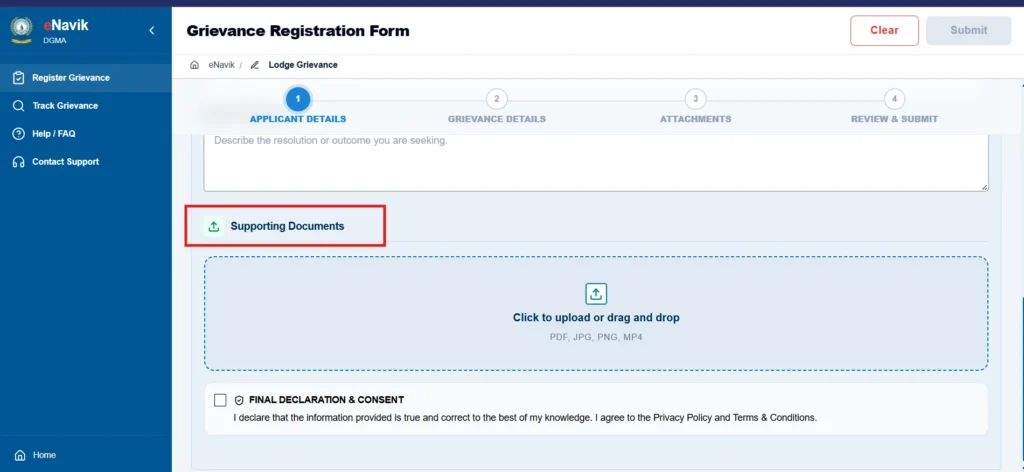
STEP-8: Review the information entered to ensure that all details are accurate and complete.
STEP-9: Submit the grievance form through the portal after verifying the provided information.
STEP-10: Keep the acknowledgement or grievance tracking number generated after submission to track the status of your complaint.
What is a Grievance Tracking Number and its usage?
The grievance tracking number is the unique reference number assigned to a grievance after successful submission. It should be retained carefully because it can be used to:
- Track the grievance status.
- View grievance details.
- Refer to the grievance while communicating with the helpdesk/authority.
- Identify the grievance when responding to a query.
- Track the appeal, where applicable.
What are the Different Grievance Statuses in the eNavik DGMA Portal?
| Status | Meaning |
| Submitted | The grievance has been received and is currently being examined/processed by the concerned authority. |
| Query Raised | Additional information, clarification or documents are required from the complainant before the grievance can be processed further. |
| Resolved | The grievance has been examined, and the concerned authority has completed the action/disposal of the grievance. |
| Rejected | The grievance has been examined but cannot be accepted/processed for the applicable reason. |
| Appealed | The complainant has submitted an appeal against an eligible grievance decision, and the appeal is under the applicable appeal workflow. |
Who can submit a Grievance?
Both registered and unregistered users can submit a grievance on the e-Navik Portal. H
| Registered Users Users with an authenticated account in the Directorate General of Maritime Administration ecosystem can log in to submit grievances using pre-verified profile information. These include: – Seafarers – MTIs (Maritime Training Institutes) – RPSLs (Recruitment and Placement Service Licensees) – Shipping Companies | Unregistered Users Users without a portal account can also submit a complaint by providing the required details and completing an OTP verification. These include: – Next of Kin (family members) – Students and Seamen – Foreign Nationals and Foreign NGOs – Flag States and International Associations – ITF (International Transport Workers’ Federation) – Chartering Agents or Chartering Companies – Medical Doctors and Ship Managers – Other individuals or groups as applicable |
How to Track a Grievance on eNavik DGMA?
The eNavik DGMA Portal allows users to track the progress of a submitted grievance and check whether it has been received, processed, or resolved.
Steps to Track a Grievance
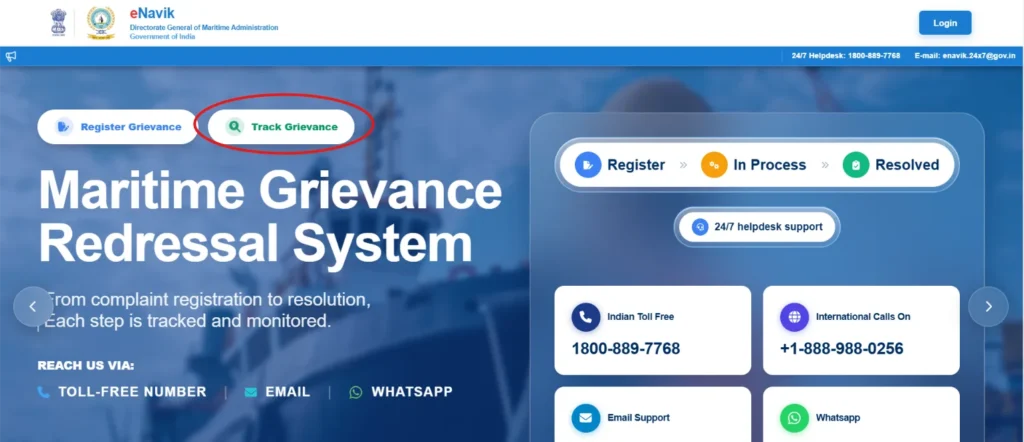
1. Open the eNavik DGMA Portal and select “Track Grievance”.
2. A new page will open: “Track Your Grievance Status”
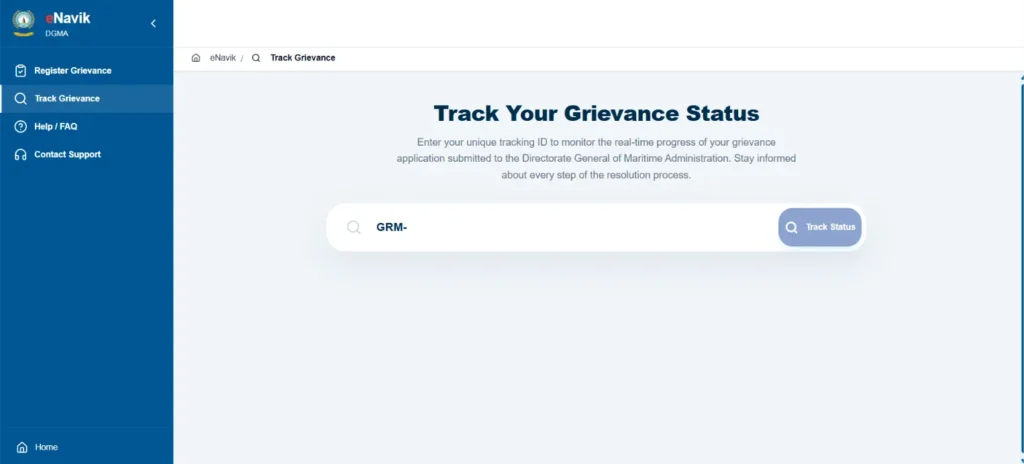
3. Enter your grievance reference number and submit the tracking request to view the current status.
4. Now you can check the grievance status and any updates provided by the concerned authority.
What Details are Required to Submit a Grievance on eNavik DGMA?
The following documents are required to submit a grievance on eNavik DGMA:
- Applicant details
- Grievance category and sub-category
- Grievance description and,
- Supporting documents
What Types of Grievances Can Be Reported Through eNavik DGMA?
The eNavik Portal handles a comprehensive range of maritime and seafarer-related grievances through its 24×7 support framework. Key issues involve:
| Documentation Issues | Problems regarding INDOS registration, passport issues, Continuous Discharge Certificate (CDC), Biometric Seafarers Identity Document (BSID), and seafarer profile corrections. |
| Employment & Contractual Disputes | Complaints against Recruitment and Placement Service Licence (RPSL) agencies, monetary or employment cheating, pre-joining placement issues, unpaid wages, poor onboard living conditions, repatriation, and post-joining disputes. |
| Certification & Training | Issues concerning Certificate of Competency (CoC), Certificate of Proficiency (CoP) for nautical and engineering streams, examinations, assessments, and maritime training institutes (MTIs). |
| Welfare, Emergencies & Critical Incidents | Serious crises including death compensation, missing seafarer procedures, piracy, hijacking, disciplinary concerns, and welfare fund or provident fund (SWFS/SPFO) disputes. |
| Marine Casualties & Incidents | Marine casualties, accidents, or security incidents reported via the dedicated reporting and crisis management module. |
How can you get Help if you Face Difficulties while Registering or Tracking a Grievance on eNavik DGMA?
If you face any difficulty while registering or tracking your grievance, you can contact the 24/7 Grievance Helpdesk through any of the following channels:
- Indian Toll-Free: 1800-889-7768
- International Calls: +1-888-988-0256
- Email: enavik.24×7@gov.in
- WhatsApp: +91 8655856830
The Helpdesk can assist users with difficulties related to grievance registration, tracking, portal access, and other system-related issues
What is the Time Limit for Responding to a Query Raised on a Grievance, and What Happens if You do not Respond?
If a query is raised on a grievance, the complainant must respond within 7 days from the date of the latest pending query. The response should include the requested information or documents. For the opposite party, a separate response timeline and escalation process applies.
If You Do Not Respond:
- The grievance is automatically rejected after 7 days if the complainant does not reply.
- No appeal is allowed after the grievance is auto-rejected for non-response.
- If the matter remains unresolved, you must file a new grievance with the requested documents.
- For the opposite party, reminders are issued, including around the fifth day.
- After 10 days without a response, the concerned officer is alerted for further action.
- Further action may include issuing a show-cause notice to the concerned party.
Can you Submit a Grievance on Behalf of Someone Else?
A grievance may be submitted on behalf of another individual when the system allows such representation and the person filing it is duly authorised or is legitimately acting on behalf of the affected individual.
The representative must provide accurate details of the concerned person and clearly state their relationship or role. Where necessary, supporting documents establishing the authorisation or relationship may also be required.
When Can you File an Appeal against a Grievance on eNavik DGMA?
You can file an appeal against a grievance on the eNavik Portal within 30 days from the date of the grievance closure or rejection. The rules and regulations for filing an appeal are as follows:
| Time Limit | The appeal must be submitted within 30 days of the decision. No appeal is allowed after an auto-rejection due to a missed query response deadline. |
| Existing Records | You can only file if no other appeal is already on record for that specific grievance. |
| Verification | You must verify your contact details using an OTP before you can submit the appeal. |
Frequently Asked Questions
What are the key features of the eNavik DGMA portal?
The key features of the eNavik DGMA portal include digital login, grievance management, seafarer tracking, online service access and centralised information management.
How do you select the correct grievance category and sub-category on the eNavik DGMA Portal?
Select the category and sub-category that most closely describes the subject matter of your grievance. Before submitting:
– You should read the available category and sub-category descriptions carefully
– Select the option that best represents the primary issue
– If multiple categories appear relevant, select the category that represents the main issue for which you are seeking action or resolution.
What if your grievance category is not listed in the eNavik DGMA Portal?
If your grievance category is not listed in the eNavik DGMA portal, you can select the “others” option in the category menu and enter your category. It will be reviewed by the Nodal Officer.
What should you enter in the “Expected Outcome” field?
The Expected Outcome field is used to understand what action, resolution, clarification, correction, or relief the complainant expects from the Directorate/concerned authority. You should avoid entering general statements such as “Please solve my problem.” Instead, specify the particular action or resolution expected.
Can you submit the same grievance multiple times?
Do not file the same matter repeatedly. The system blocks a second open grievance for the same complainant identity, category, and sub-category until the earlier one is “Closed or Rejected.”
Are anonymous grievances permitted in the eNavik DGMA portal?
No, anonymous grievances are not permitted. You can submit a grievance only with valid complainant information and the required verification. For Registered Users, OTP verification is required for login, while unregistered users are required to complete OTP verification during grievance submission.
How do you respond to a clarification request on eNavik DGMA?
To respond to a clarification request, you should log in to the portal and upload the requested document / furnish the required information.
What happens if you select the wrong category or subcategory of grievance on the eNavik DGMA grievance redressal system?
Selecting the wrong category or subcategory does not mean that your grievance application will be rejected. The concerned authority will check your application and forward it to the appropriate authority who look after that subject matter.